GPT Image 2 Prompt Guide for Marketers (with 12 Copy-Paste Templates)
12 field-tested copy-paste prompt templates for GPT Image 2 — product still life, lifestyle, campaign poster, flat illustration, UI mock, packaging, magazine cover, and more — runnable on Kubeez via app, REST API, or MCP.
If you're a marketer running GPT Image 2 on Kubeez, prompt quality is the only knob between "AI slop that goes in the trash" and "a hero asset I can ship today." This guide gives you the anatomy of a marketing prompt that works on gpt-image-2, then 12 copy-paste templates for the formats marketers actually need: product still life, lifestyle, campaign poster, flat illustration, UI mock, banner, packaging, social ad, hero header, magazine cover, holiday creative, and brand-kit edit.
Each template is field-tested, runs on Kubeez via the web app, the REST API, or the MCP, and produces output you can send to a client without further cleanup.
#The prompt formula that works on GPT Image 2
Marketing prompts that consistently produce usable output share five components — in order:
- Subject — what the image is of (the product, the person, the scene)
- Surface and environment — where the subject sits (marble pedestal, wooden desk, brutalist wall)
- Light source and direction — golden hour from the upper left, ring-light from the right, soft window light
- Material and texture details — brushed metal, frosted glass, dewy condensation, linen weave
- Style anchor — "photoreal magazine-quality", "editorial product photography", "flat vector illustration", "1980s film grain"
If you want typography in the image (which is GPT Image 2's killer feature), add a sixth component:
- Text content, verbatim — quote the exact words you want rendered. Don't paraphrase.
That's it. Now the templates.
#Template 1 — Editorial product still life
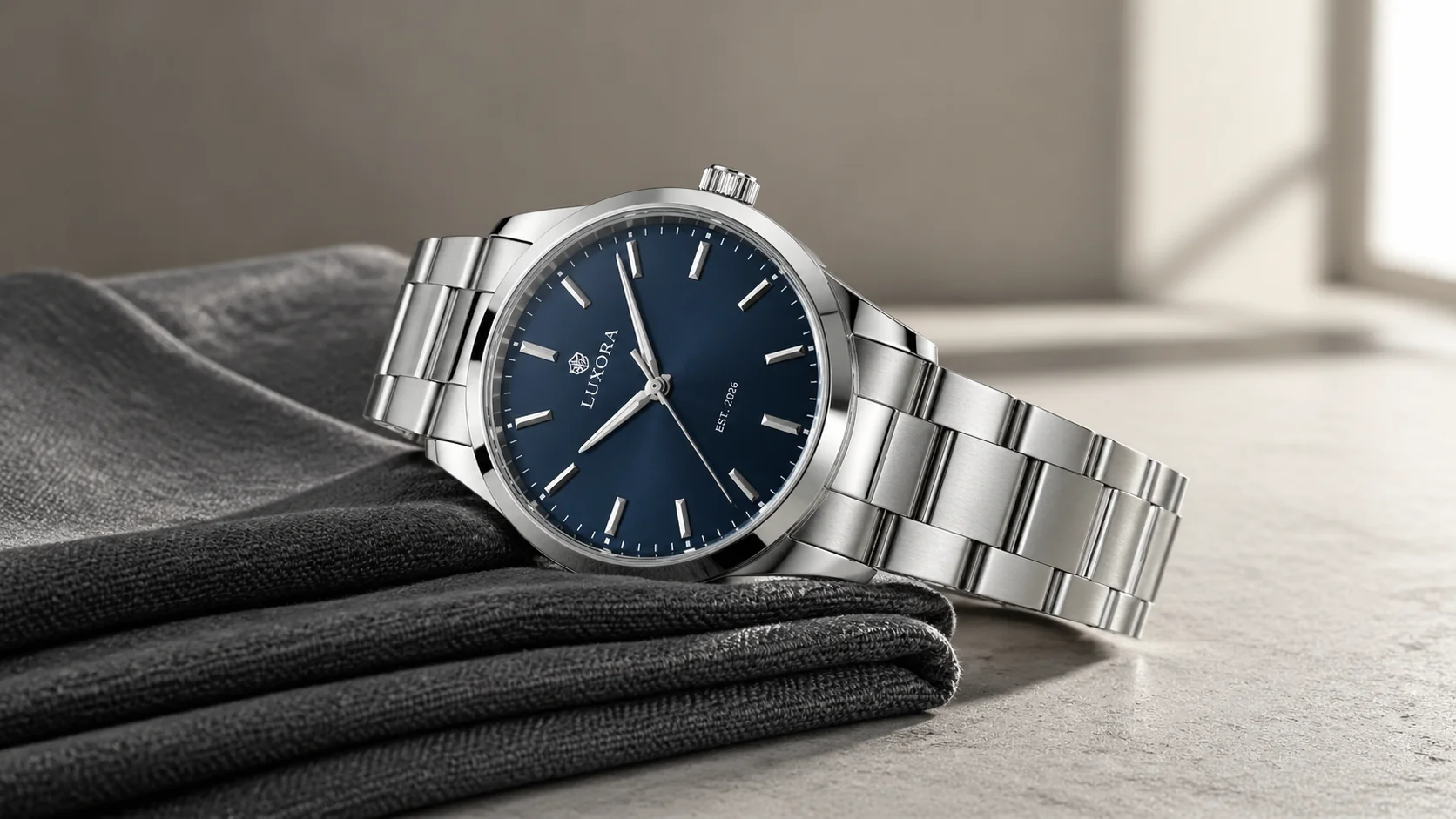
"An editorial product still life: a [PRODUCT] on a [SURFACE]. [LIGHT SOURCE] from the [DIRECTION], creating [SHADOW/REFLECTION DETAIL]. Visible micro-detail: [TEXTURE 1], [TEXTURE 2], small [LABEL TEXT]. [BACKDROP COLOR] backdrop. Photoreal, magazine-quality product photography, sharp focus. 16:9."
Use for: hero product shots, e-commerce PDPs, magazine ads. Result preview: this article's cover image.
#Template 2 — Candid lifestyle scene
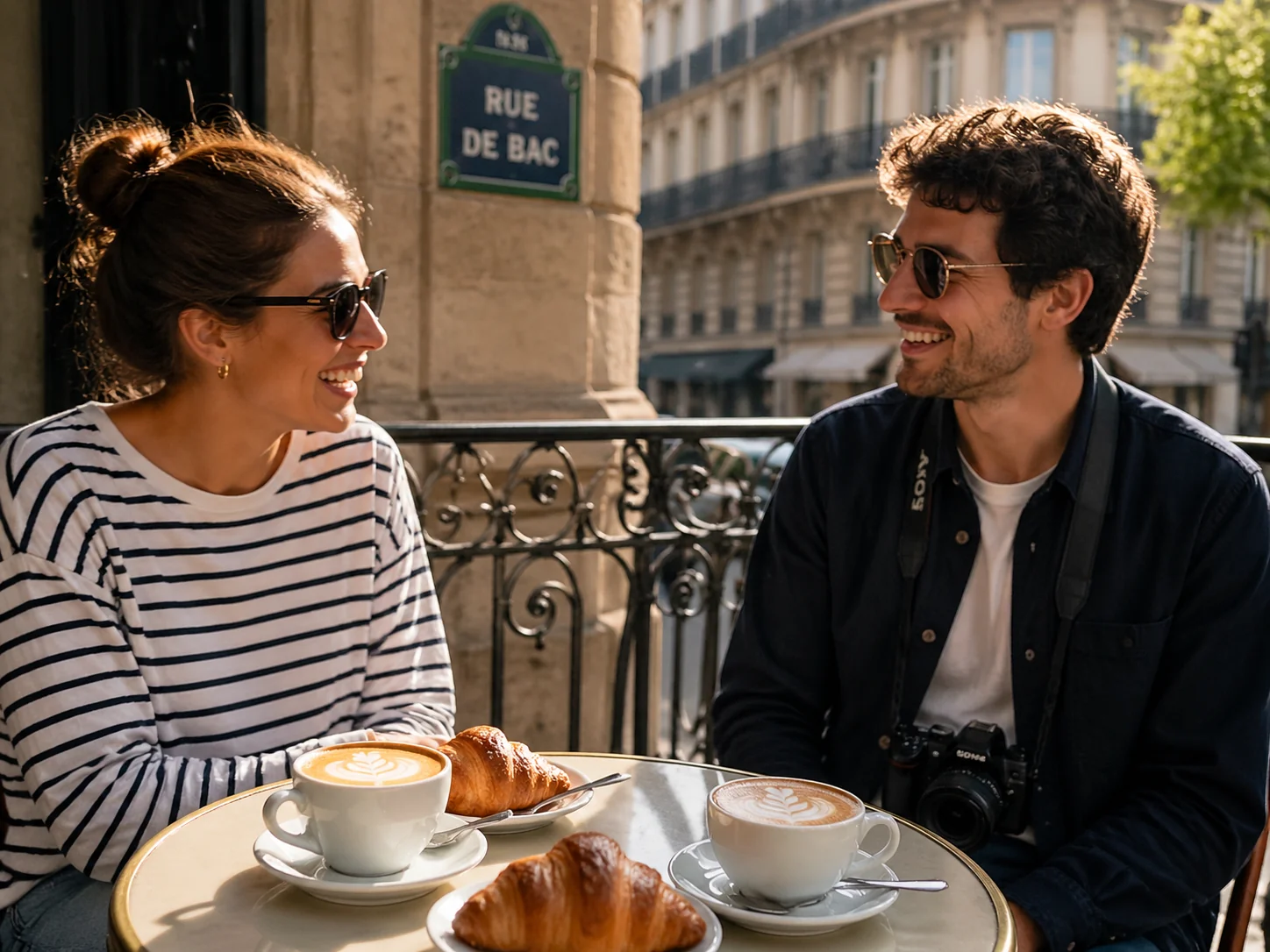
"A candid editorial lifestyle photograph: [PEOPLE DESCRIPTION] doing [ACTIVITY] at/in [LOCATION]. [PROPS IN THE SCENE]. Behind them, slightly blurred, [BACKGROUND DETAIL]. [LIGHT QUALITY], photoreal, magazine-quality candid lifestyle photography, shallow depth of field. 4:3."
Use for: brand campaigns, IG carousels, lifestyle ads. The Parisian-brunch image below is one generation from this template.
#Template 3 — Campaign poster with typography
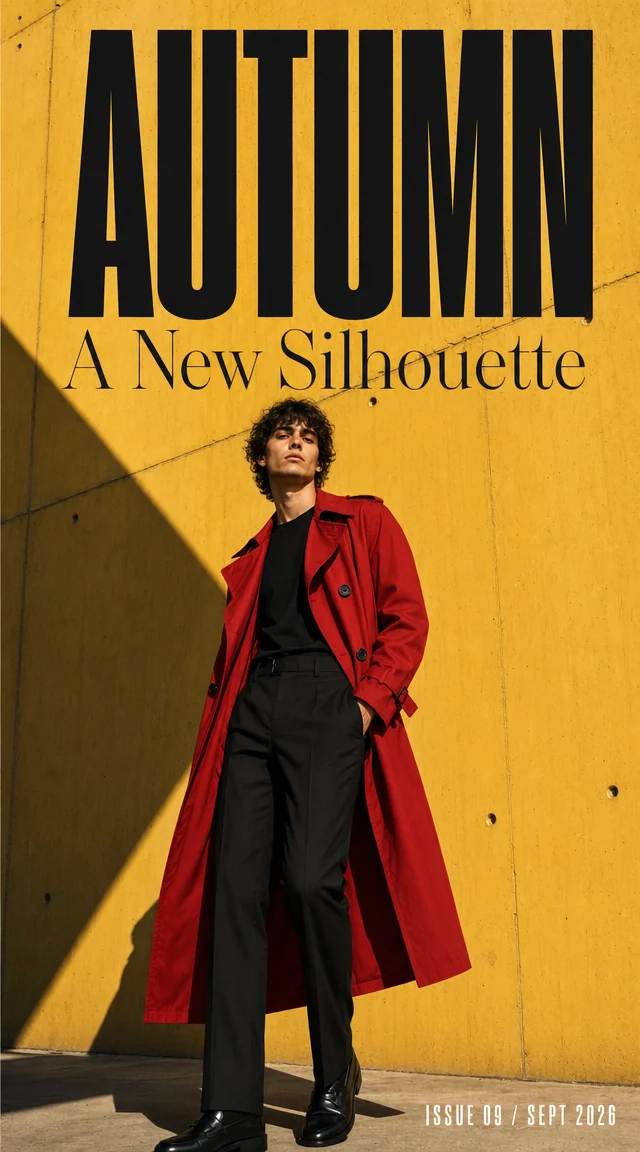
"A bold vertical fashion/event/product campaign poster, photoreal. [SUBJECT DESCRIPTION] against [BACKDROP]. Display typography is set into the poster: at the top large readable [HEADLINE TEXT], beneath it a thinner [SUBHEAD TEXT], and in the [POSITION] a small block [CREDIT / DATE TEXT]. [STYLE], high contrast, sharp readable type. Vertical 9:16."
Use for: 9:16 Reels/Stories ads, event marketing, festival posters.
#Template 4 — Flat illustration banner
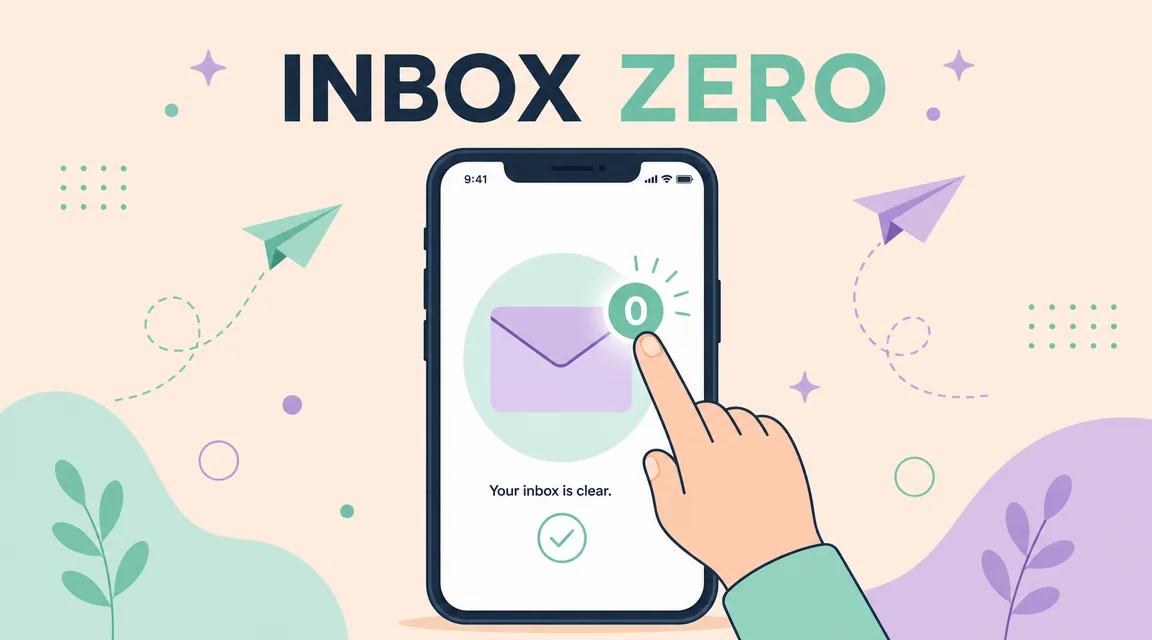
"A clean vector-style flat illustration banner. [SUBJECT in stylized form] [DOING ACTION]. [PALETTE: pastel/saturated/monochrome with named colors]. Centered, perfectly readable bold sans-serif text label reads "[YOUR LABEL]". [DECORATIVE ELEMENTS]. Modern flat illustration style, geometric shapes, clean lines, no photoreal textures. 16:9 banner composition."
Use for: SaaS landing-page sections, blog covers, newsletter headers.
#Template 5 — UI mockup / pitch-deck hero
"A photoreal flat-lay overhead shot on a [DESK MATERIAL]: a 14-inch MacBook Pro displaying [APP TYPE] dashboard with sharp, readable typography. The dashboard headline reads "[HEADLINE TEXT]" in large numbers, with smaller readable labels: "[LABEL 1]", "[LABEL 2]", and a clean [CHART TYPE] underneath. Beside the laptop: [PROPS]. Soft natural light from [DIRECTION], photoreal, all UI text crisp and legible. 16:9."
Use for: SaaS pitch decks, fintech ads, landing-page heroes.
#Template 6 — Beauty / skincare bottle shot
"A studio product photograph: a [BOTTLE TYPE] of [PRODUCT TYPE] on a polished [PEDESTAL MATERIAL]. Crisp readable label typography on the bottle reads "[BRAND]" with smaller text underneath "[PRODUCT NAME] — [SIZE]". [LIGHT TYPE] streams in from [DIRECTION], casting soft warm light and dramatic [REFLECTION TYPE]. [TEXTURE DETAIL e.g. dewy condensation]. [BACKDROP]. Photoreal high-end beauty product photography, sharp focus, editorial. 4:3."
Use for: DTC beauty, supplements, candles, fragrance.
#Template 7 — Lifestyle hero header
"An editorial wide shot of [SUBJECT] in [LOCATION/ENVIRONMENT]. [WEATHER / TIME OF DAY], [LIGHT QUALITY] from [DIRECTION]. [FOREGROUND DETAIL], [MIDGROUND], [BACKGROUND]. Photoreal, cinematic, magazine-quality wide composition. 16:9."
Use for: website heros, hero header banners on landing pages.
#Template 8 — Social ad in 1:1
"A polished marketing creative: [PRODUCT] [POSITION/ANGLE]. [BACKGROUND COLOR/SCENE]. To the [SIDE] of the product, sharp readable typography in [FONT STYLE]: large [HEADLINE TEXT] and smaller subheading "[SUBHEAD]". [LIGHT QUALITY], photoreal product photography, magazine ad quality. 1:1."
Use for: Instagram feed ads, Facebook square creatives, Pinterest.
#Template 9 — Packaging mock
"A high-resolution packaging mockup: a [PACKAGE TYPE] for [PRODUCT NAME] standing on [SURFACE]. Visible front-panel typography: brand "[BRAND]", product line "[PRODUCT]", small ingredient/spec strip "[SPEC TEXT]". [SURFACE FINISH e.g. matte/gloss/foil]. [LIGHT QUALITY], photoreal packaging photography, sharp readable text. 4:3."
Use for: pre-production packaging design, deck mocks, vendor pitches.
#Template 10 — Magazine cover
"A photoreal magazine cover. [SUBJECT — portrait/scene]. Cover masthead at the top reads "[MAGAZINE NAME]" in large [FONT STYLE]. Smaller cover lines: "[COVER LINE 1]", "[COVER LINE 2]", "[ISSUE NUMBER / DATE]". [PALETTE], magazine-cover composition. Vertical 3:4."
Use for: editorial brand work, fictional campaigns, brand identity decks.
#Template 11 — Holiday / seasonal creative
"[HOLIDAY SCENE — Christmas tree, beach summer, autumn leaves, etc.]. [PRODUCT] [PLACEMENT]. Sharp readable typography reads "[PROMOTIONAL HEADLINE]" with smaller text "[OFFER COPY]". [LIGHT MOOD]. Photoreal seasonal marketing photography, warm, inviting. 16:9."
Use for: seasonal campaigns, gift-guide imagery, sale banners.
#Template 12 — Brand-kit edit (image-to-image)
For brand consistency, run image-to-image with up to 16 references. Pass your logo, your existing hero shot, and one mood-board image, then prompt:
"In the consistent brand style of the references, produce [NEW SUBJECT/SCENE]. Maintain [LOGO PLACEMENT], [PALETTE], and [TYPOGRAPHY STYLE] from the references. [SPECIFIC SCENE DETAILS]. Photoreal, magazine-quality. [ASPECT]."
This is the workflow that turns one shoot into a multi-quarter campaign without re-shooting. Set generation_type: "image-to-image" and pass references in source_media_urls.
#Common prompt mistakes (and quick fixes)
| Mistake | Fix |
|---|---|
| "Make it pop" / vague style words | Replace with concrete style anchor: "1980s film grain", "editorial photo realism" |
| Asking for camera settings ("85mm f/1.4") | The model doesn't simulate lens math reliably — describe the result: "shallow depth of field, blurred background" |
| Paraphrasing the headline you want | Quote the exact text, in quotes, in the prompt |
| Stacking 6+ subjects in one prompt | Generate them as separate images and composite, or run image-to-image |
| Using "auto" aspect at 2K or 4K | Per Kubeez rules, 2K/4K require an explicit non-1:1 aspect — use 16:9, 9:16, 4:3, or 3:4 |
#Running these prompts via API or MCP
Every template above runs with the same call shape on Kubeez.
API (REST):
POST https://api.kubeez.com/v1/generate/media
X-API-Key: sk_live_...
{
  "model": "gpt-image-2",
  "prompt": "<paste any template>",
  "aspect_ratio": "16:9",
  "resolution": "1K"
}
MCP (chat-driven):
"Run this prompt on
gpt-image-2: <template here>. 16:9, 1K."
The assistant calls generate_media, polls, and returns the CDN URL.
#FAQ
How long should a marketing prompt be? Specific is more important than long. Most of our best-performing templates land between 60 and 250 words. The 20,000-character ceiling is a budget, not a target.
What's the cheapest setup that still produces marketing-grade output?
gpt-image-2 at 1K is the standard tier — flat per-image pricing, fast turnaround, plenty of detail for digital. Reserve 2K for landing-page heroes and 4K for print.
How do I keep brand colors consistent? Either name the hex or color name in every prompt ("muted oxblood red, hex #8B0000"), or use image-to-image with your brand-style reference image (Template 12).
Bottom line: the difference between a marketer who ships an asset a day and one who shipped one bad poster last week is prompt specificity, not the model. These twelve templates handle ~90% of marketing image work — bookmark them, fork them, paste them into Kubeez via Images, the REST API, or the MCP. For deeper integration patterns, see our GPT Image 2 technical guide.
Dex writes the Kubeez guides and makes every example with the same tools you use.
See also
Try these tools
Models in this post
Keep reading
- GPT Image 2.6: Economy vs Flare vs Sunburst vs 2.5 ComparedGPT Image 2.6 Economy vs Flare vs Sunburst: resolutions, aspect ratios, transparent backgrounds and references compared with GPT Image 2.5, plus which to pick.
- Try GPT Image 2.5 Free: What 50 Credits Get YouNew Kubeez accounts get 50 free credits after email confirmation, and GPT Image 2.5 costs 15 credits at 1K. That is three full renders before you spend anything. Here is how to use them well.
- GPT Image 2.5 Is Now on Kubeez: Flare and SunburstGPT Image 2.5 is now live on Kubeez with two lanes, Flare and Sunburst. See what changed, the credit prices, and how to run it in Studio, MCP and REST.
- GPT Image 2.5 Flare vs Sunburst: Which Lane to PickGPT Image 2.5 Flare vs Sunburst cost the same on Kubeez, so the choice is pure workflow. A decision table, real use cases and one prompt on both lanes.