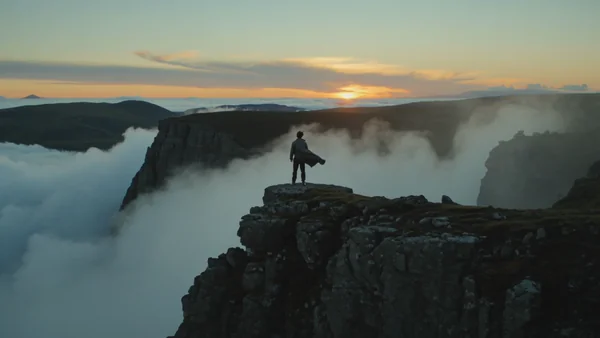
A slow push in on a lone traveler at an Icelandic cliff edge at dawn, fog rolling through.
AI movie generator for short films and trailers
Describe each scene and get cinematic shots with sound, ready to cut into a film.
Cinematic scenes and short films
Text to movie, one shot at a time. Name the lens, the light and the camera move, and the shot comes back graded. Kling 3.0 and Gemini Omni Video render up to 4K, and Seedance 2.5 holds one continuous take for up to 30 seconds.
Trailers and action sequences
Open big, then write the beats shot by shot with hard cuts between them, and the sequence comes back as one clip. Kling 3.0 returns up to five shots in one render, each with its own prompt. Cut a few together for a trailer.
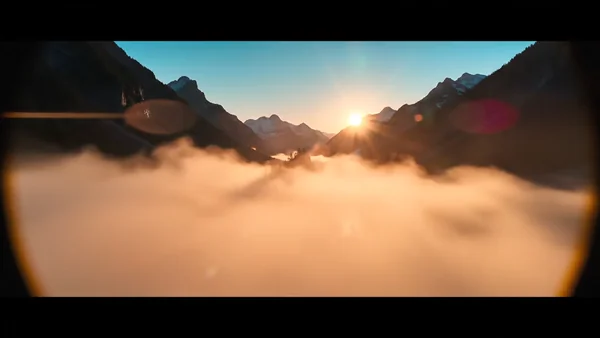
An epic aerial push in over a misty valley at sunrise, with soaring orchestral strings.
A supercar outruns a fighter jet on an alpine pass, five hard cuts with engine roar, from one prompt.
Five cuts around one woman in a rooftop crowd at night, from a high wide to a close push in.
Dialogue and characters
Write the lines in the prompt and your characters speak them, with voices and room sound in the same file. Attach stills of your cast, and the same face carries from one shot to the next.
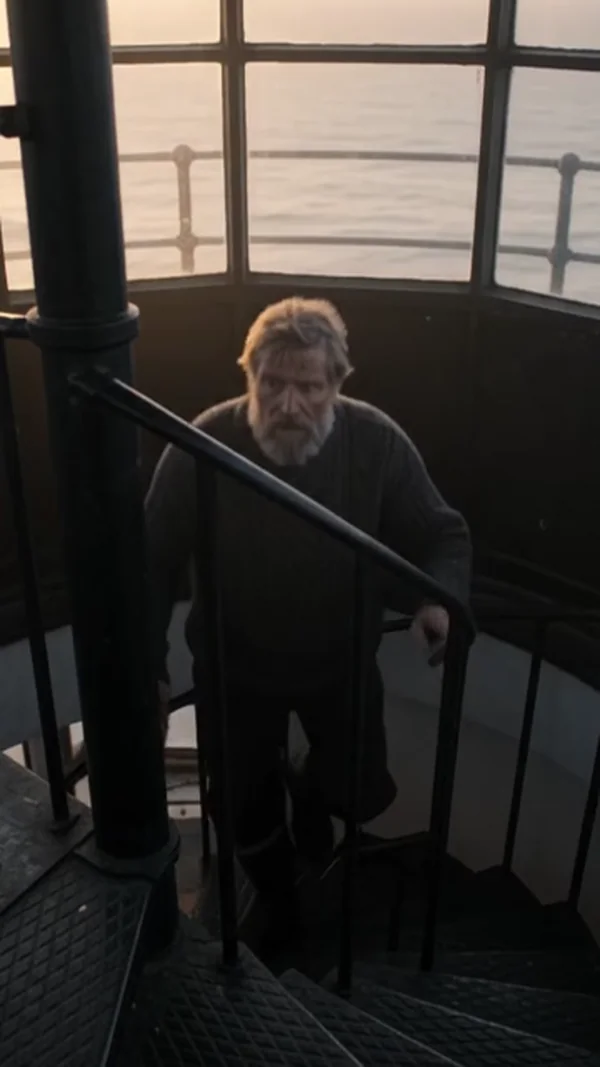
A lighthouse keeper lights the great lamp and says one quiet line, with wind against the glass.
A 20 second street interview across hard cuts with both voices, built around one reference photo.
One photo of the rider and one of the bike become a tracking shot with a bell ring.
Why use Kubeez as your AI film maker
Scenes up to 30 seconds
Seedance 2.5 renders 4 to 30 seconds without a cut, and Kling 4.0 runs 3 to 30 seconds at up to 1080p, including 21:9 widescreen. A long take stays one shot.
Several shots in one render
Kling 3.0 takes up to five shots, each with its own prompt and 1 to 12 seconds, and returns them as one 3 to 15 second sequence. This chase came from one Seedance 2 prompt.
The same cast in every scene
Kling 4.0 takes up to 10 stills and 5 clips that you point at as @image_1 or @video_1. Kling 3.0 holds saved @elements steady, and Gemini Omni Video and 1.1 Flash reuse saved characters.
Dialogue and sound built in
Seedance 2.5 speaks 11 officially supported languages. Gemini Omni Video and 1.1 Flash voice lines in one of 30 built-in voices, with ambience and music in the same render.
How it works
- 1
Add a photo
Optional. Upload a picture to animate, edit or use as a reference.
- 2
Write the prompt
Describe what you want to see, or open an example on this page and change it.
- 3

Generate and download
Pick the model, generate, and download the file to post or use anywhere.
Pick a plan
One credit balance covers images, video and audio. Pick the size that fits how much you make.
Most popular
Studio Pro
Studio value with extra headroom.
49 €month
6,400credits / month
Team seats

2 seats included
What you'll generate
- Images~1,600
- Songs~457
- Videos~640
- Separations~1,066
- Caption Minutes~213
- All modelsIncluded
Starter
Low tier generations for regular use.
10 €month
1,100credits / month
What you'll generate
- Images~275
- Songs~78
- Videos~110
- Separations~183
- Caption Minutes~36
- All modelsIncluded
Pro
Access full experience.
20 €month
2,600credits / month
What you'll generate
- Images~650
- Songs~185
- Videos~260
- Separations~433
- Caption Minutes~86
- All modelsIncluded
Powerhouse
Most cost efficient.
99 €month
13,000credits / month
13,000 credits/mo
Team seats
3 seats
Extra seats €19/seat/mo
What you'll generate
- Images~3,250
- Songs~928
- Videos~1,300
- Separations~2,166
- Caption Minutes~433
- All modelsIncluded
Enterprise
For teams that outgrow standard plans.
Custom
Pricing tailored to your team
What's included
- Custom number of seats
- Custom credit volume
- Invoice billing
- Priority support
Starter
Low tier generations for regular use.
10 €month
1,100credits / month
What you'll generate
- Images~275
- Songs~78
- Videos~110
- Separations~183
- Caption Minutes~36
- All modelsIncluded
Pro
Access full experience.
20 €month
2,600credits / month
What you'll generate
- Images~650
- Songs~185
- Videos~260
- Separations~433
- Caption Minutes~86
- All modelsIncluded
Most popular
Studio Pro
Studio value with extra headroom.
49 €month
6,400credits / month
Team seats
2 seats included
What you'll generate
- Images~1,600
- Songs~457
- Videos~640
- Separations~1,066
- Caption Minutes~213
- All modelsIncluded
Powerhouse
Most cost efficient.
99 €month
13,000credits / month
13,000 credits/mo
Team seats
3 seats
Extra seats €19/seat/mo
What you'll generate
- Images~3,250
- Songs~928
- Videos~1,300
- Separations~2,166
- Caption Minutes~433
- All modelsIncluded
Enterprise
For teams that outgrow standard plans.
Custom
Pricing tailored to your team
What's included
- Custom number of seats
- Custom credit volume
- Invoice billing
- Priority support
Or pay-as-you-go
Test any model with one-time credit packs
Credits never expire and don't require a subscription — buy a pack, generate, see if Kubeez fits.
Quick refill
Quick refill for short bursts of generation.
Credits
500
You pay
€6
Standard pack
Mid-size pack at the standard per-credit rate.
Credits
1,500
You pay
€18
−5%
Volume pack
Larger pack with a volume discount built in.
Credits
5,000
You pay
€60€57
−10%
Production pack
Best per-credit price for sustained production.
Credits
15,000
You pay
€180€162
Questions
Not in one go. Each render is one scene or shot of up to 30 seconds. You generate the scenes here, then cut them together into a film in your video editor.
Yes, one scene at a time. Paste the scene as the prompt, with its shots, action and lines. Gemini Omni 1.1 Flash takes shot lists or scripts as the prompt.
Yes. Generate each beat as its own shot, or several beats in one Kling 3.0 render of up to five shots, then cut them together with your music.
Use the same references every time. Kling 4.0 takes up to 10 stills of your cast, Kling 3.0 keeps saved @elements, and Gemini Omni Video and 1.1 Flash keep saved characters.
Seedance 2.5 and Kling 4.0 render up to 30 seconds in one take. Kling 3.0 and Gemini Omni 1.2 Flash go up to 15 seconds, and Veo 3.1 clips are 8 seconds.
Make your first one now
Sign up, open the dashboard and start from a prompt or a photo.